HR, attendance, and payroll workflow: a practical operating map for service teams
Use this workflow map to connect attendance, HR records, payroll approvals, salary reports, and operational notifications without duplicate work.
Service teams need payroll to start from clean attendance, not last-minute spreadsheet corrections. A reliable operating workflow connects staff records, attendance, corrections, approvals, salary generation, reports, and notifications.
DeskGo is designed around this connected flow so owners, admins, managers, accountants, and staff work from the same operational source of truth.
Workflow overview
The most important decision is not which screen looks best. The important decision is whether daily attendance data can move into salary work without manual re-entry.
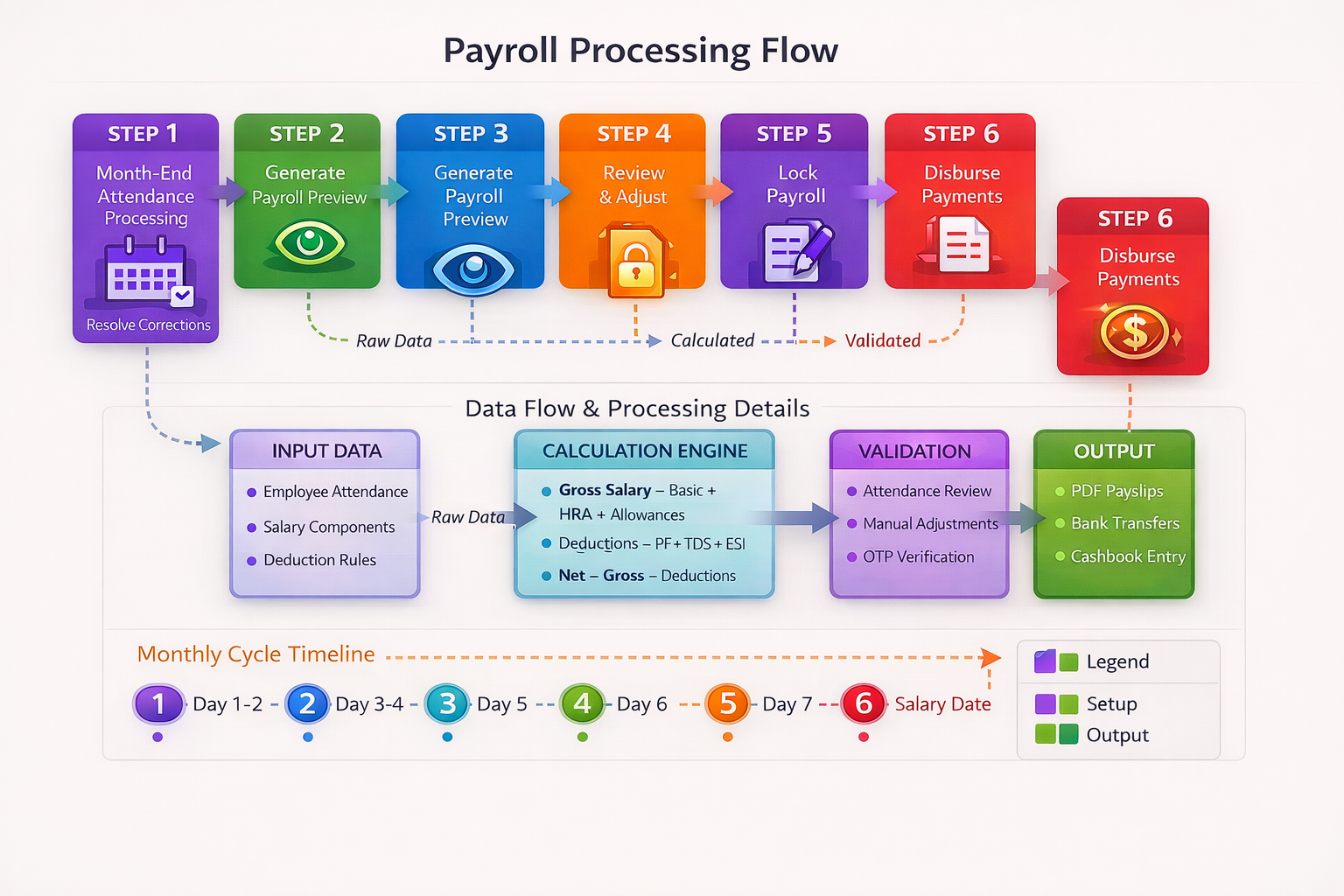
Operating workflow map
| Step | Owner | What should happen |
|---|---|---|
| Staff record | Admin | Role, salary type, department, and joining data are created once. |
| Attendance | Staff or manager | Daily attendance and corrections are recorded with review context. |
| Approval | Manager | Corrections and exceptions are checked before payroll. |
| Payroll | Accountant or admin | Salary is generated from approved inputs. |
| Report | Owner | Final salary and attendance reports are reviewed before payout. |
Related workflow areas
Attendance policy
Define how attendance, leave, overtime, and corrections are reviewed.
Role access
Keep payroll data protected while managers can review operational inputs.
Notification rules
Send useful alerts for approvals, salary status, and corrections.
Article feedback
Was this article helpful?
Your feedback helps the DeskGo editorial team improve clarity and usefulness.