A practical guide to content approval workflow for business templates, covering reviewing shared content before it is reused or published, workflow ownership, approvals, and the questions to review before implementation.
Content approval workflow for company templates
content approval workflow for business templates matters when super admins and company administrators responsible for users, services, documents, templates, settings, billing, and workspace governance need a dependable way to run daily work. The right system should make reviewing shared content before it is reused or published clear for owners, administrators, managers, staff, and customers where they are part of the workflow.
DeskGo brings connected business workflows into one workspace. Use the product capabilities that match your company's needs, keep permissions deliberate, and confirm the configured service before relying on it for production work.
Why reviewing shared content before it is reused or published
The operational problem is rarely one missing screen. It is usually a handoff problem: information starts in a message or spreadsheet, an owner is unclear, an exception is missed, and the next team has to ask for the same context again. A useful content, documents, and administration process creates one reviewable path from the first request to the final outcome.
Before selecting software, write down the current process. Identify who creates the record, who checks it, which data is required, what happens when something is wrong, and which report the owner needs at the end of the period.
What to evaluate before choosing a solution
- Clear ownership for admins, managers, staff, finance, operations, and customers where relevant.
- Company timezone, working calendar, branches, service settings, and permissions that match the real business.
- A visible approval or correction path for exceptions instead of silent manual edits.
- Searchable records, useful reports, and a reliable history of important changes.
- Notifications that support an action and do not send every event to every person.
- A practical way to test the workflow with the company's own teams and data rules.
Company identity, timezone, and workspace settings
For content approval workflow for business templates, company identity, timezone, and workspace settings is not a side detail. It decides whether the workflow stays accurate after the first week. the manager needs a simple review and approval path, while the next person in the process should be able to understand what happened without asking for a private explanation.
Start by writing the rule in plain language. Record who creates the item, which fields are required, what counts as complete, who can correct it, and what should happen when the normal path does not apply. This is especially important when reviewing shared content before it is reused or published involves different branches, teams, schedules, customers, or approval owners.
DeskGo can provide the connected workspace for this part of the content, documents, and administration process when the relevant service and permissions are enabled. Keep the company's timezone, working calendar, service settings, and role boundaries consistent so that company administration software is measured from the same source records rather than recreated in a separate spreadsheet.
Review question: Can an authorized person explain the current status, the next action, and the reason for the last change from the DeskGo record alone?
Users, roles, service access, and offboarding
For content approval workflow for business templates, users, roles, service access, and offboarding is not a side detail. It decides whether the workflow stays accurate after the first week. the staff member needs a practical daily action, while the next person in the process should be able to understand what happened without asking for a private explanation.
Start by writing the rule in plain language. Record who creates the item, which fields are required, what counts as complete, who can correct it, and what should happen when the normal path does not apply. This is especially important when reviewing shared content before it is reused or published involves different branches, teams, schedules, customers, or approval owners.
DeskGo can provide the connected workspace for this part of the content, documents, and administration process when the relevant service and permissions are enabled. Keep the company's timezone, working calendar, service settings, and role boundaries consistent so that document management is measured from the same source records rather than recreated in a separate spreadsheet.
Review question: Can an authorized person explain the current status, the next action, and the reason for the last change from the DeskGo record alone?
Documents, templates, and shared content ownership
For content approval workflow for business templates, documents, templates, and shared content ownership is not a side detail. It decides whether the workflow stays accurate after the first week. the finance or operations lead needs reliable records and reports, while the next person in the process should be able to understand what happened without asking for a private explanation.
Start by writing the rule in plain language. Record who creates the item, which fields are required, what counts as complete, who can correct it, and what should happen when the normal path does not apply. This is especially important when reviewing shared content before it is reused or published involves different branches, teams, schedules, customers, or approval owners.
DeskGo can provide the connected workspace for this part of the content, documents, and administration process when the relevant service and permissions are enabled. Keep the company's timezone, working calendar, service settings, and role boundaries consistent so that content workflow is measured from the same source records rather than recreated in a separate spreadsheet.
Review question: Can an authorized person explain the current status, the next action, and the reason for the last change from the DeskGo record alone?
Notification, proposal, and customer-facing content
For content approval workflow for business templates, notification, proposal, and customer-facing content is not a side detail. It decides whether the workflow stays accurate after the first week. the customer needs a clear and predictable experience, while the next person in the process should be able to understand what happened without asking for a private explanation.
Start by writing the rule in plain language. Record who creates the item, which fields are required, what counts as complete, who can correct it, and what should happen when the normal path does not apply. This is especially important when reviewing shared content before it is reused or published involves different branches, teams, schedules, customers, or approval owners.
DeskGo can provide the connected workspace for this part of the content, documents, and administration process when the relevant service and permissions are enabled. Keep the company's timezone, working calendar, service settings, and role boundaries consistent so that SaaS administration is measured from the same source records rather than recreated in a separate spreadsheet.
Review question: Can an authorized person explain the current status, the next action, and the reason for the last change from the DeskGo record alone?
Blog planning, SEO review, and publication control
For content approval workflow for business templates, blog planning, seo review, and publication control is not a side detail. It decides whether the workflow stays accurate after the first week. the implementation owner needs a testable rollout plan, while the next person in the process should be able to understand what happened without asking for a private explanation.
Start by writing the rule in plain language. Record who creates the item, which fields are required, what counts as complete, who can correct it, and what should happen when the normal path does not apply. This is especially important when reviewing shared content before it is reused or published involves different branches, teams, schedules, customers, or approval owners.
DeskGo can provide the connected workspace for this part of the content, documents, and administration process when the relevant service and permissions are enabled. Keep the company's timezone, working calendar, service settings, and role boundaries consistent so that company administration software is measured from the same source records rather than recreated in a separate spreadsheet.
Review question: Can an authorized person explain the current status, the next action, and the reason for the last change from the DeskGo record alone?
Billing, enabled modules, and administrative responsibility
For content approval workflow for business templates, billing, enabled modules, and administrative responsibility is not a side detail. It decides whether the workflow stays accurate after the first week. the leadership team needs evidence before changing policy, while the next person in the process should be able to understand what happened without asking for a private explanation.
Start by writing the rule in plain language. Record who creates the item, which fields are required, what counts as complete, who can correct it, and what should happen when the normal path does not apply. This is especially important when reviewing shared content before it is reused or published involves different branches, teams, schedules, customers, or approval owners.
DeskGo can provide the connected workspace for this part of the content, documents, and administration process when the relevant service and permissions are enabled. Keep the company's timezone, working calendar, service settings, and role boundaries consistent so that document management is measured from the same source records rather than recreated in a separate spreadsheet.
Review question: Can an authorized person explain the current status, the next action, and the reason for the last change from the DeskGo record alone?
Settings review, audit history, and safe changes
For content approval workflow for business templates, settings review, audit history, and safe changes is not a side detail. It decides whether the workflow stays accurate after the first week. the owner needs a clear business outcome, while the next person in the process should be able to understand what happened without asking for a private explanation.
Start by writing the rule in plain language. Record who creates the item, which fields are required, what counts as complete, who can correct it, and what should happen when the normal path does not apply. This is especially important when reviewing shared content before it is reused or published involves different branches, teams, schedules, customers, or approval owners.
DeskGo can provide the connected workspace for this part of the content, documents, and administration process when the relevant service and permissions are enabled. Keep the company's timezone, working calendar, service settings, and role boundaries consistent so that content workflow is measured from the same source records rather than recreated in a separate spreadsheet.
Review question: Can an authorized person explain the current status, the next action, and the reason for the last change from the DeskGo record alone?
Onboarding, governance, and continuous maintenance
For content approval workflow for business templates, onboarding, governance, and continuous maintenance is not a side detail. It decides whether the workflow stays accurate after the first week. the administrator needs dependable configuration and access controls, while the next person in the process should be able to understand what happened without asking for a private explanation.
Start by writing the rule in plain language. Record who creates the item, which fields are required, what counts as complete, who can correct it, and what should happen when the normal path does not apply. This is especially important when reviewing shared content before it is reused or published involves different branches, teams, schedules, customers, or approval owners.
DeskGo can provide the connected workspace for this part of the content, documents, and administration process when the relevant service and permissions are enabled. Keep the company's timezone, working calendar, service settings, and role boundaries consistent so that SaaS administration is measured from the same source records rather than recreated in a separate spreadsheet.
Review question: Can an authorized person explain the current status, the next action, and the reason for the last change from the DeskGo record alone?
A detailed operating model
A good content approval workflow for business templates setup has five layers. First, the company defines the outcome and the policy. Second, an administrator configures the service, roles, calendar, locations, templates, or provider connection. Third, staff and managers use the workflow during real work. Fourth, an owner reviews exceptions and reports. Fifth, the company updates the process when evidence shows that a rule is unclear or creates unnecessary work.
These layers should remain connected. If a team changes a rule in a chat but does not update the system, the next report becomes difficult to trust. If the system is configured correctly but employees do not know the reason behind the required fields, adoption falls. If reports are available but nobody owns the weekly review, the business accumulates exceptions until they become a customer, payroll, or financial problem.
For DeskGo, use a small pilot group first. Choose one branch or team, document its normal path, test at least three exception cases, and ask the people doing the work where the screen or rule feels unclear. Then record the decision, update permissions or templates, and expand only after the owner can explain the result.
What to measure after launch
Do not measure only how many records were created. Measure whether the workflow is complete and useful. Depending on the service, review completion rate, correction volume, approval age, missed handoffs, response time, unresolved items, cancellation or failure rate, report freshness, and the number of manual follow-ups still required.
For this article's focus on reviewing shared content before it is reused or published, choose a small baseline before rollout. Write down how long the current process takes, where information is re-entered, how many exceptions wait for a decision, and what the owner cannot currently see. After launch, compare the same questions over a consistent period. The goal is clearer work and better decisions, not a dashboard full of vanity numbers.
Use the source record as the reference for the report. If a number looks surprising, inspect the underlying records, permissions, dates, timezone, statuses, and provider delivery before changing the policy. A trustworthy operating system makes it easier to investigate a result instead of hiding uncertainty behind a large summary number.
A 30-day rollout plan
During the first week, confirm the company identity, timezone, working calendar, branches, service scope, role ownership, and data that must be migrated or created. During the second week, configure one realistic workflow and test both the normal path and the most common exception. During the third week, train the people who create, review, approve, and report on the records. During the fourth week, review evidence, fix unclear rules, and decide whether the process is ready to expand.
Keep a short decision log during rollout. Note what the team expected, what the system did, what policy was chosen, and who approved the change. This is useful for content approval workflow for business templates because it separates a product configuration problem from an internal policy problem. It also prevents a future administrator from undoing a deliberate decision without understanding its context.
Before production use, confirm customer communication, sensitive data access, notification channels, reports, exports, and support ownership. Payroll, financial, employment, customer, and publication decisions should retain an authorized human review point even when the surrounding workflow is automated.
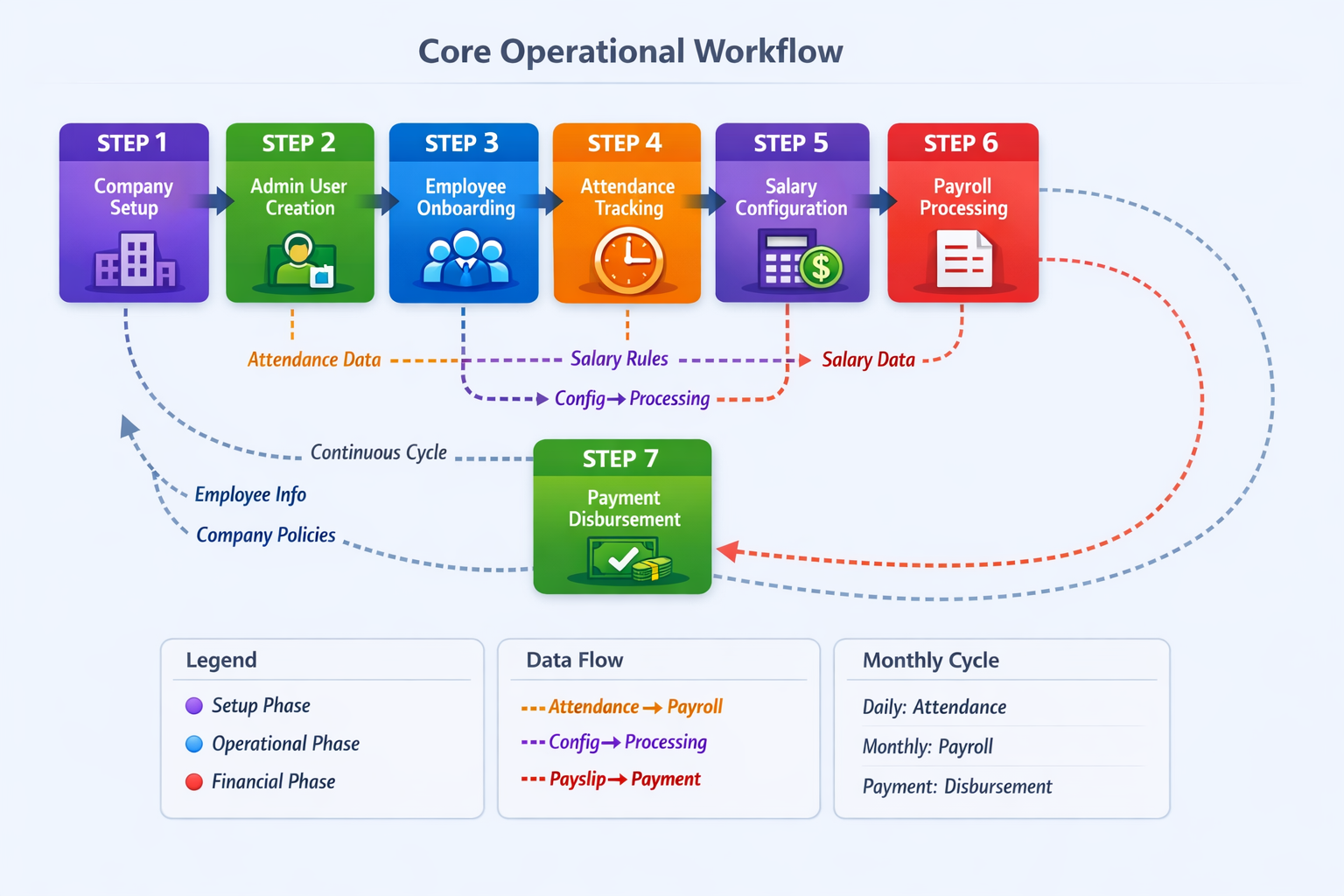
A practical DeskGo workflow
- Define the business outcome, owner, required data, and exception path.
- Configure the relevant DeskGo service, roles, company rules, and provider connections.
- Run a realistic test using the company's timezone, teams, branches, and customer context.
- Review approvals, notifications, reports, and audit history before wider rollout.
- Measure the workflow weekly and update rules when the operating process changes.
Implementation checklist
- The primary goal is written in terms the Super Admins and company administrators responsible for users, services, documents, templates, settings, billing, and workspace governance can review.
- Each record has an owner, status, next action, and review date where applicable.
- Company timezone, working calendar, branches, and permissions are configured before automation.
- Exceptions and corrections have a visible approval path instead of silent edits.
- Reports and source records are reviewed together before consequential decisions.
Common mistakes to avoid
The first mistake is buying a feature without defining the process around it. The second is giving broad access because roles were not planned. The third is automating customer, payroll, financial, or employment decisions before an authorized person has a clear review point. A fourth mistake is measuring activity without checking whether the underlying records are complete and correct.
Start with one team or branch, test normal and exception cases, collect feedback from the people who use the workflow every day, and then expand the configuration. This approach makes a new system easier to trust and easier to improve.
Frequently asked questions
What should content approval workflow for business templates help a business do?
It should make reviewing shared content before it is reused or published easier to configure, review, and improve for the people responsible for the workflow.
Is content approval workflow for business templates useful for a growing service business?
Yes, when the business needs shared ownership, clear records, approvals, and reports instead of disconnected spreadsheets or personal messages.
Can DeskGo support this workflow?
DeskGo can support the documented content, documents, and administration workflow where the relevant service, permissions, provider connections, and company settings are enabled.
Should the workflow be automated immediately?
First document the owner, required data, approval point, and exception path. Automate only after the team can explain the normal workflow and its controls.
What should a company verify before going live?
Verify roles, company timezone, service configuration, notifications, reports, data access, customer communication, and the review process for exceptions.
Does DeskGo replace human review?
No. Important payroll, financial, employment, customer, and publication decisions remain with an authorized person.
Summary
content approval workflow for business templates should reduce repeated work while improving ownership, visibility, and review quality. DeskGo can be used as the connected workspace for the relevant content, documents, and administration workflow when the company enables the service and configures it for its own operating rules. Keep human review in place for consequential decisions, and use the source record as the final reference.
Article feedback
Was this article helpful?
Your feedback helps the DeskGo editorial team improve clarity and usefulness.